Wordled App
I’ve been playing Wordle for a while now. I’ve also been wanting to get back into Swift and iOS development. Naturally, I found a way to combine these interests.
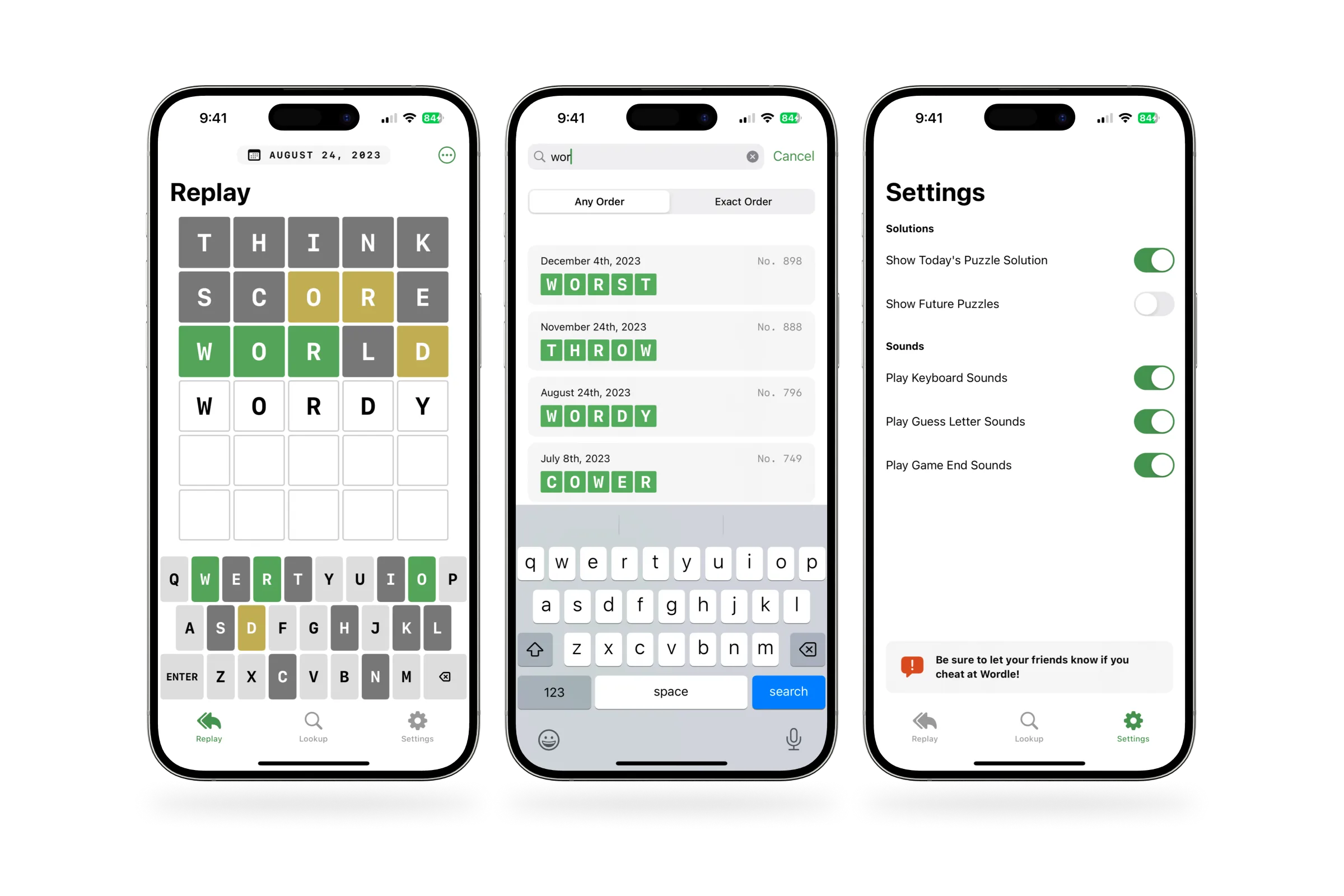
I knew Wordle had an API to look up puzzle answers. My original plan was to build a sort of Wordle calendar, where I could choose a date to view the puzzle solution from that day. I also thought it would be handy to build basic search to see if a set of letters had been used in previous puzzle. I started working on building a simple lookup app to meet these goals.
Gameplay
As the app was coming together, I began to realize it would be a lot more fun and useful if I could actually replay past puzzles. I was enjoying the work so far, so I decided to attempt recreating the entire Wordle game in the app.
Wordle’s main UI involves a grid of squares where you type your guesses. Each time a guess is submitted, the squares flip over to reveal colored versions. The colors indicate whether the letter is in the word or not, as well as whether it’s in the right position.
Getting this coloring working correctly was surprisingly tricky. A letter can appear more than once, either in the solution or in a guessed word. To properly color the squares, I treat the solution and the guesses as dictionaries. First, I calculate how many instances of each letter are in the solution. Then I compare the guessed letters against that, letter by letter, and set the color of the corresponding square accordingly.
Beyond the Basics
Once I had the basic gameplay mechanics working, I got to work on some polish and enhancements. I wrote a few custom animations for revealing whether each guess is correct. The animations mimic the behavior of Wordle’s web app, but I spent quite a bit of time tweaking the timing and easing curves to make them feel just right.
I also knew a custom keyboard would help make my app feel more like Wordle. Technically, the game could work with the standard iOS system keyboard, but that’s not much fun. Wordle’s keyboard also serves an important role in providing an at-a-glance view of which letters you’ve used in your guesses.
Luckily, my custom keyboard came together fairly quickly. I was able to leverage the work I’d done for coloring of the squares in the game board to also add color to the keys on the keyboard. I also set it up so the keyboard is only active during gameplay. Between games, I display buttons for starting a new game or retrying a failed one.
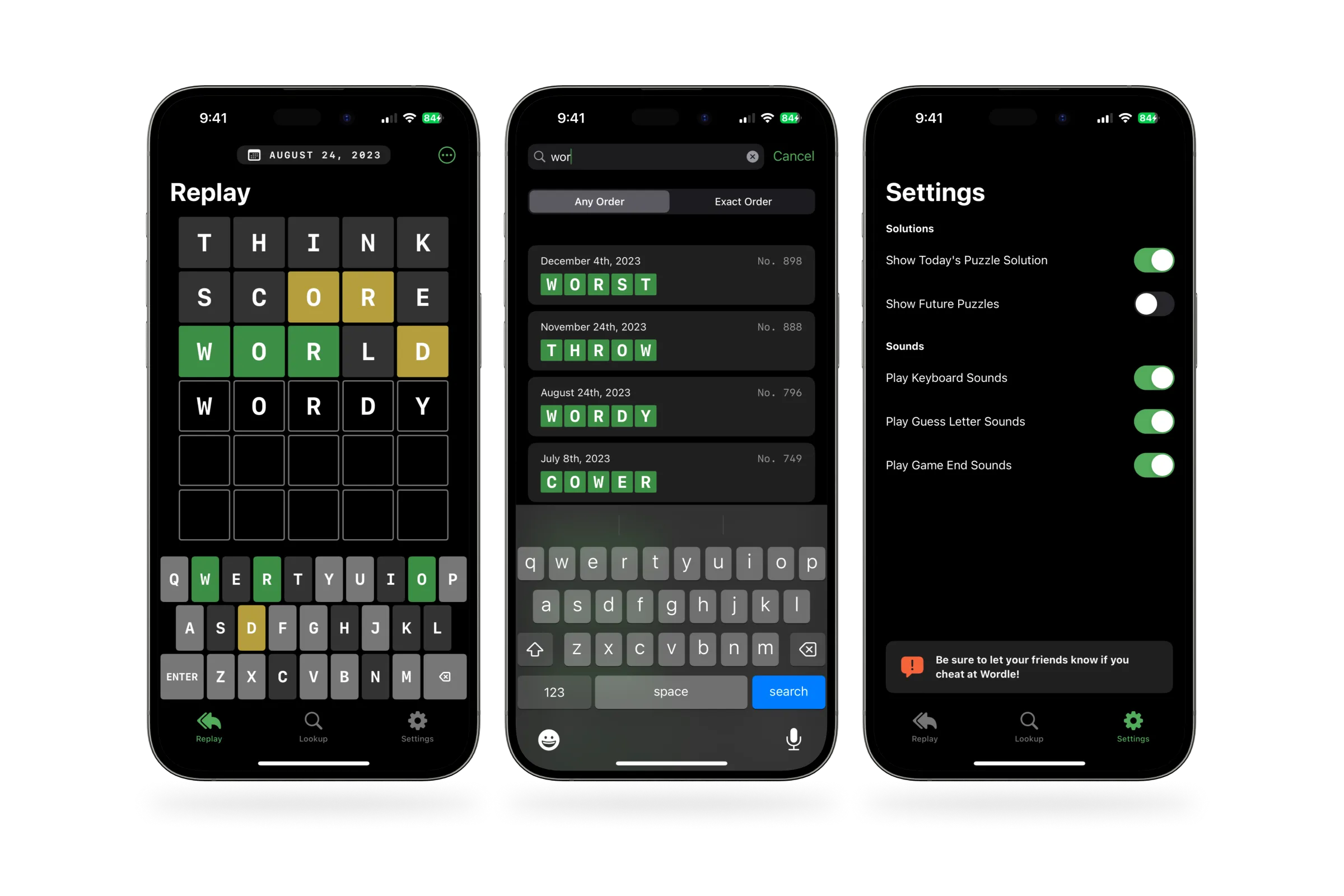
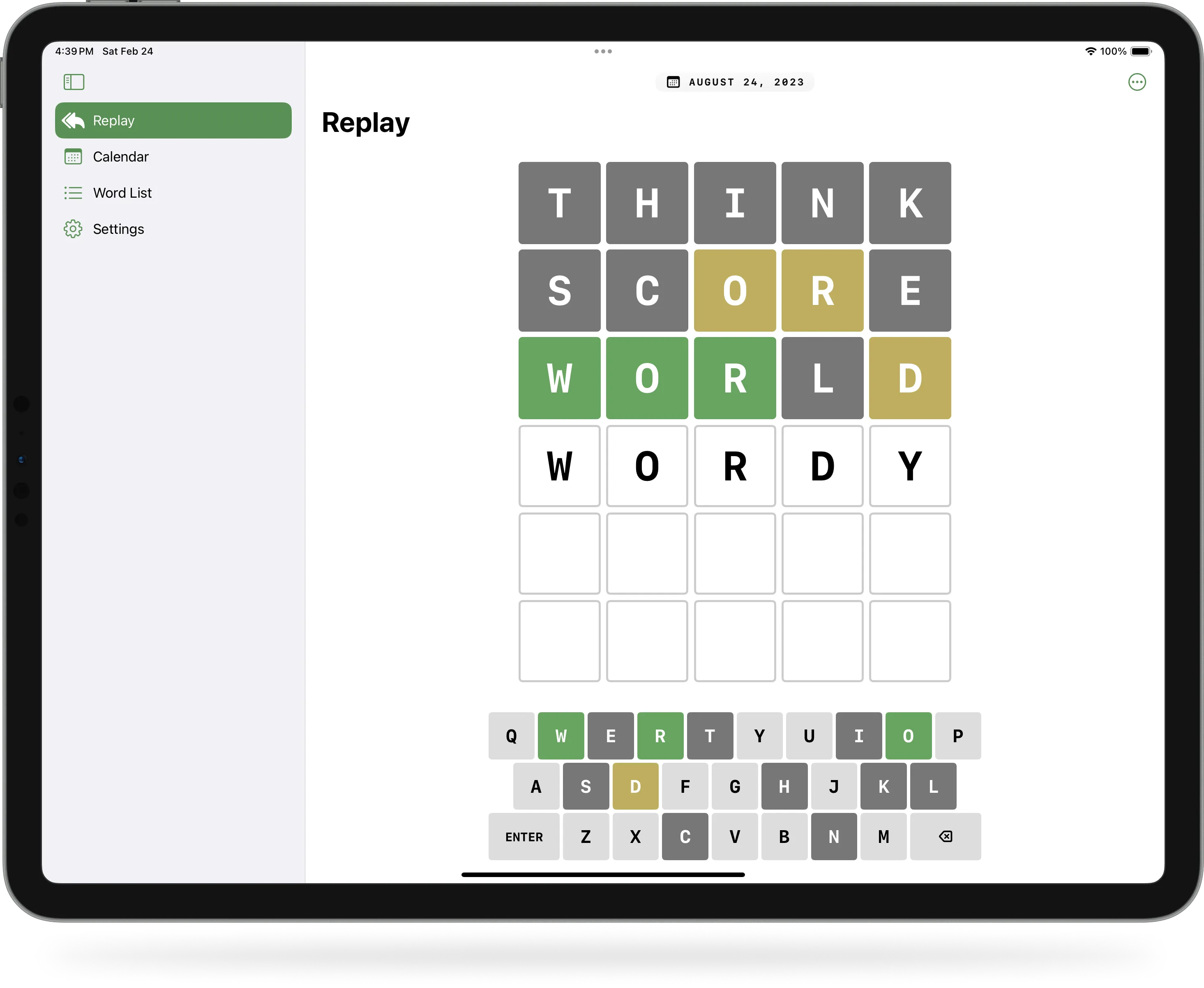
Thanks to Apple’s SwiftUI frameworks, it was straight-forward to add support for dark mode and dynamic type. Additionally, I was able to get the app running across iOS, iPadOS, and macOS with minimal effort. I added some extra logic to handle dynamically sizing the puzzle board and keyboard.
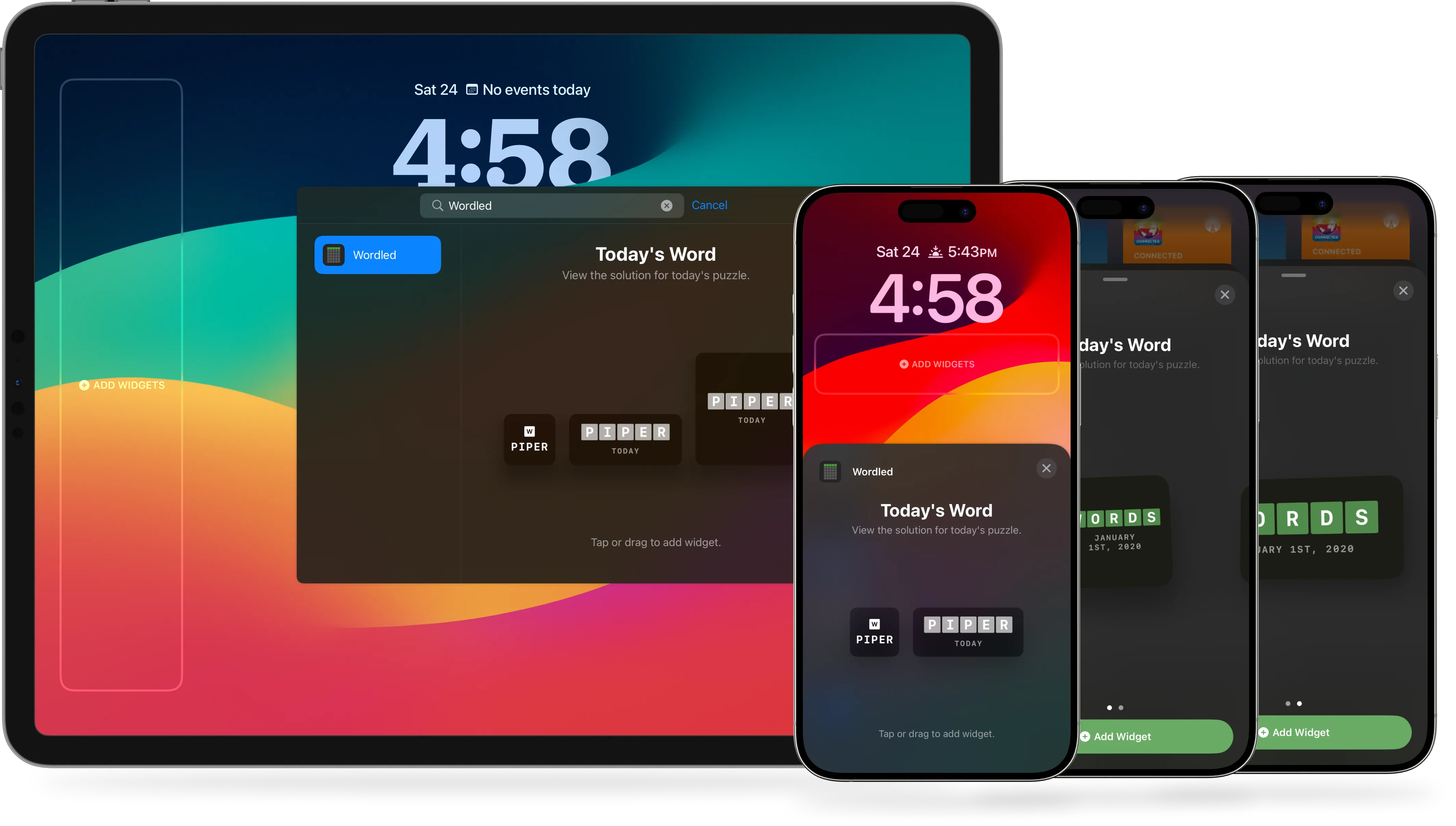
I also added support for widgets, so I can check the current day’s puzzle solution without having to open the app.
To add some extra personality, I also created a set of sound effects for the game in Logic Pro. I tried to keep them fairly subtle, but just to be on the safe side, I also added user settings in the app for disabling various types of sounds.
visionOS
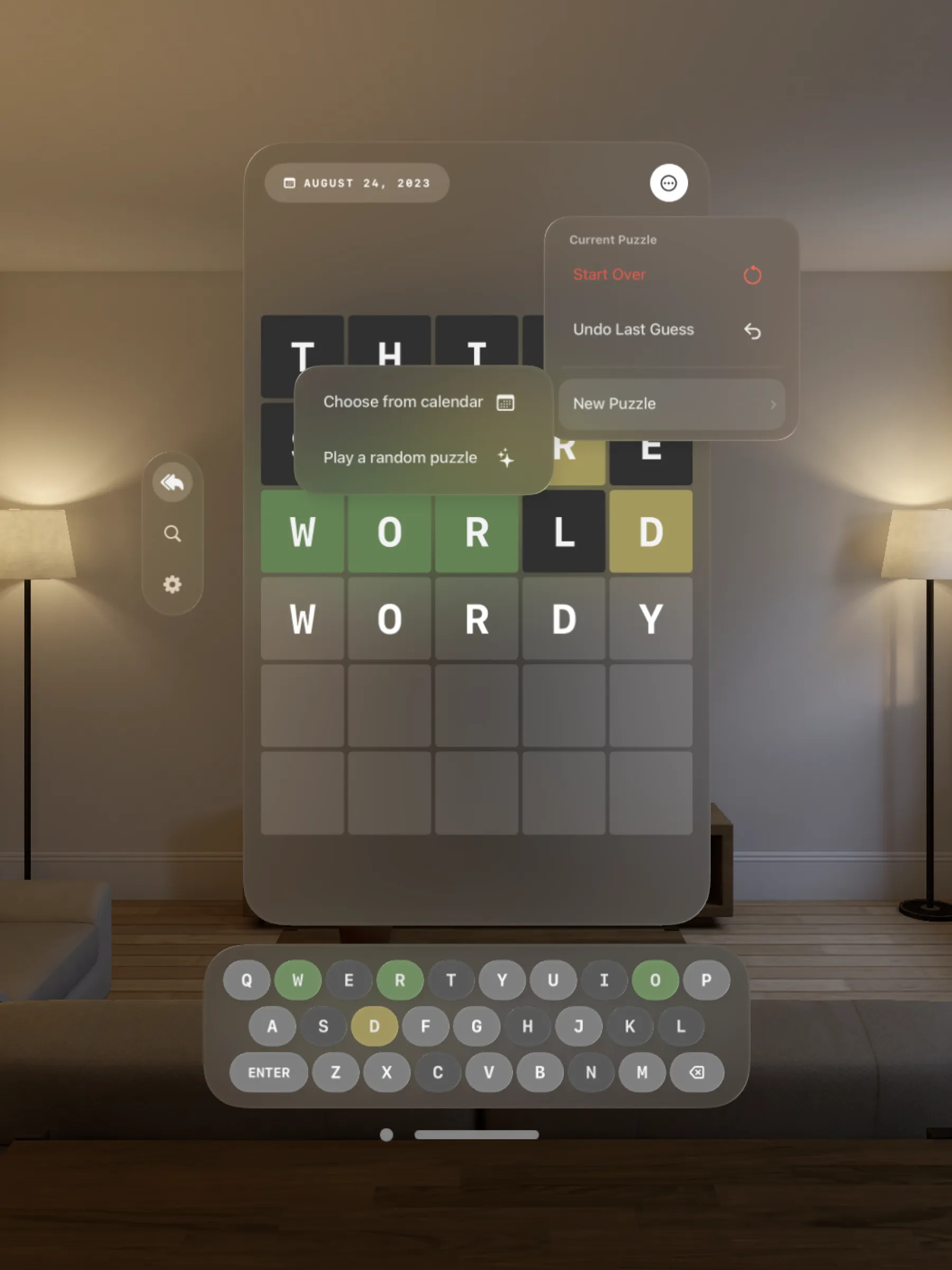
This past June at WWDC, Apple announced visionOS, a new spatial computing platform built on the same foundation as iOS. I wanted to play around with it, and this Wordled app project was the perfect excuse. Within a day of downloading the Xcode beta after the announcement, I had the app running for visionOS as well.
I’ve since made several adjustments and refinements to help it feel more at home on the platform. I pulled the keyboard, win/lose messages, and app navigation out of the main window, instead opting to attach them as visionOS ornaments. I’ve also modified the initial window sizing to be smaller than the standard visionOS window shape.
I’m looking forward to trying it out on an actual device once I get my hands on one.
Next Steps
This app was more of a personal challenge and adventure than an actual product I intend to ship. It’s also been a nice project to hop back into occasionally and explore various SwiftUI features when I’m in the mood to learn about something new. For example, I recently started exploring SwiftData, using it to mark my favorite puzzles so I can easily find them again later.
I don’t have any plans to release the app on the App Store. The app relies on Wordle’s puzzle data, which probably wouldn’t get past App Store review. It also closely mimics Wordle’s gameplay mechanics and visual style, and… Wordle already exists.
That said, I’m happy with how the app has turned out. I’ve also enjoyed using the app on my actual devices almost daily, and getting to share it with friends via TestFlight.
← Back to all projects